Client Challenge
Businesses need to enhance communications to their customers, clients, stakeholders, agents and vendors. They also need to migrate from legacy correspondence systems, enable business users to maintain content and support online/batch, interactive/ad-hoc and Web communications. Key needs are security, rapid development for new documents/applications, change management, compliance requirements, standardize corporate branding consistency and personalization.
Business Correspondence Objectives
- A single approach and central management of all document resources, content and templates for all types business correspondence in batch, online and with user-interactive letter writing
- User control of standard letter elements (for example logos, corporate/branch address details, etc)
- Document design, manipulation and business rule integration
- Full Digital Asset Management
- No replication of resources (for example: fonts, logos, document templates)
- Web-based document editing, amendment and approval capability
- Change management, version control, compare
- Full auditing capability (for example: who changed/approved what and when)
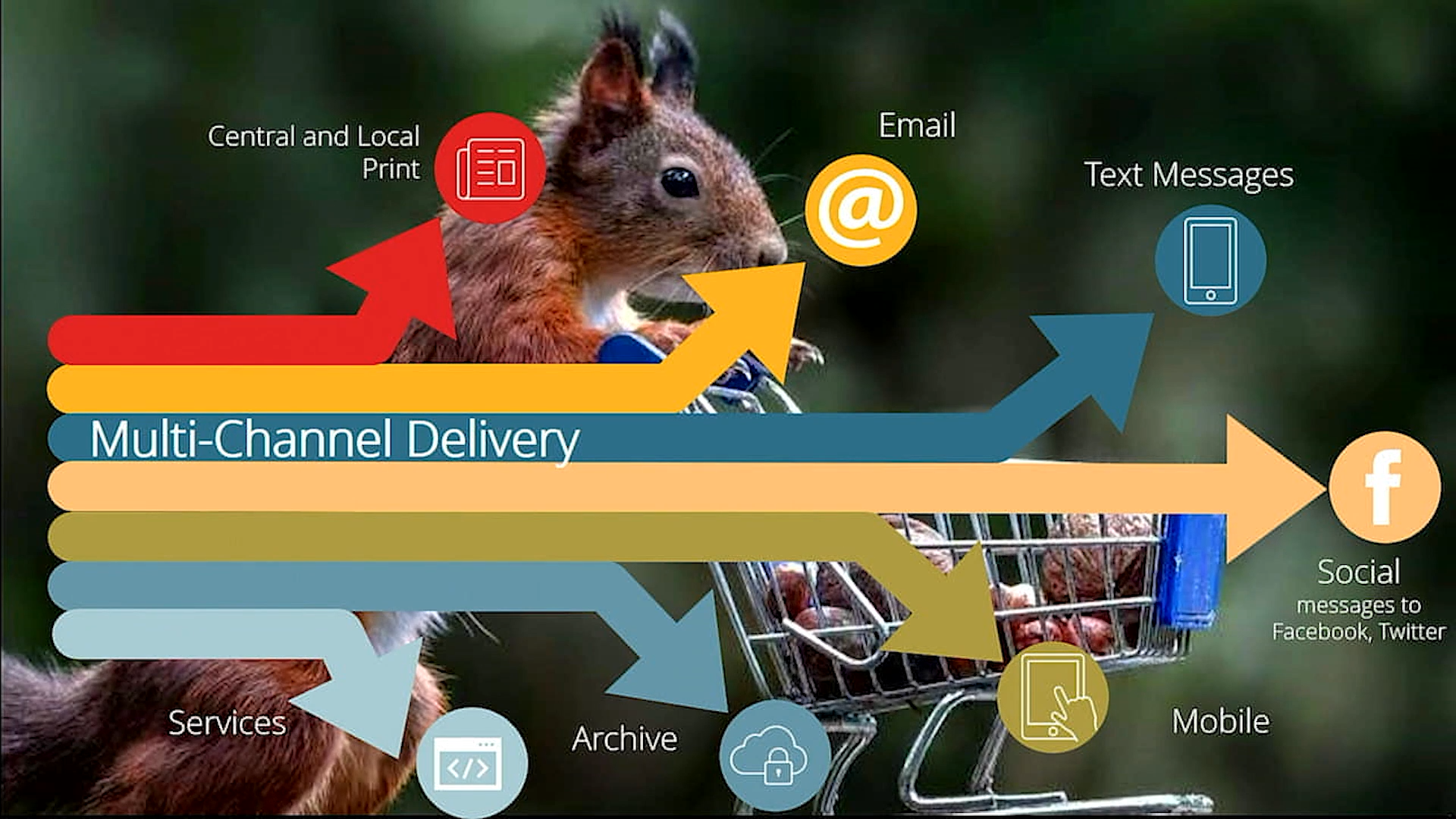
- Generation of multiple format output from a single definition suitable for any delivery channel
- Full output management for letters with OMR and Barcodes and delivery to print, email, fax, Web, SMS
- Interfacing with business applications and third party archives such as Filenet
- Maximum re-use of any existing Papyrus infrastructure
Solution Overview
Papyrus standard software and application Frameworks comes with an unlimited node architecture, designed to allow central control and administration and full system scalability - for a distributed environment across all commonly used platforms.
Papyrus
System Blueprint (click image to zoom) |
Empower the business to perform Document/Template creation (click image to zoom) |
The solution is also easily extended beyond business correspondence generation and output management using integrated capabilities such as Papyrus Capture for closing the communication loop with inbound data processing.
Offer
Description
WYSIWYG design by business departments and IT; batch and client/server letter creation; generate/assemble letters from templates and building blocks with rules and processes for high-volume batch, online, ad hoc, browser, desktop and offline PC laptop. Includes mass mailings, letters, account notices, serial letters, welcome letters/kits, new offers and more.
Characteristics: Data-driven, specific business document that can be generalized or personalized. Content controlled by business users and implemented by IT. Enablement of business users to maintain text/messages including multi-language, resource management (fonts, forms, logos), change management supporting Batch, Online, Interactive (thin and thick Client) and Web form/document solutions.
MQ
Series Adapter for correspondence |
Papyrus
SOA Adapter |
Correspondence
Framework Administrator |
Correspondence
Framework Supervisor |
Simple Integration with existing business
data and applications:
The Papyrus Platform is fully SOA conform and offers
a variety of Adapters (SOAP, MQ, XML, JAVA, LDAP, SAP,
File, CICS, JES…) to allow flexible coupling
between business data and document system. These Adapters
are platform and compiler independent and do not need
java or .net programming.
Additional
capabilities: Integrated
Output Management with bundling of different letters
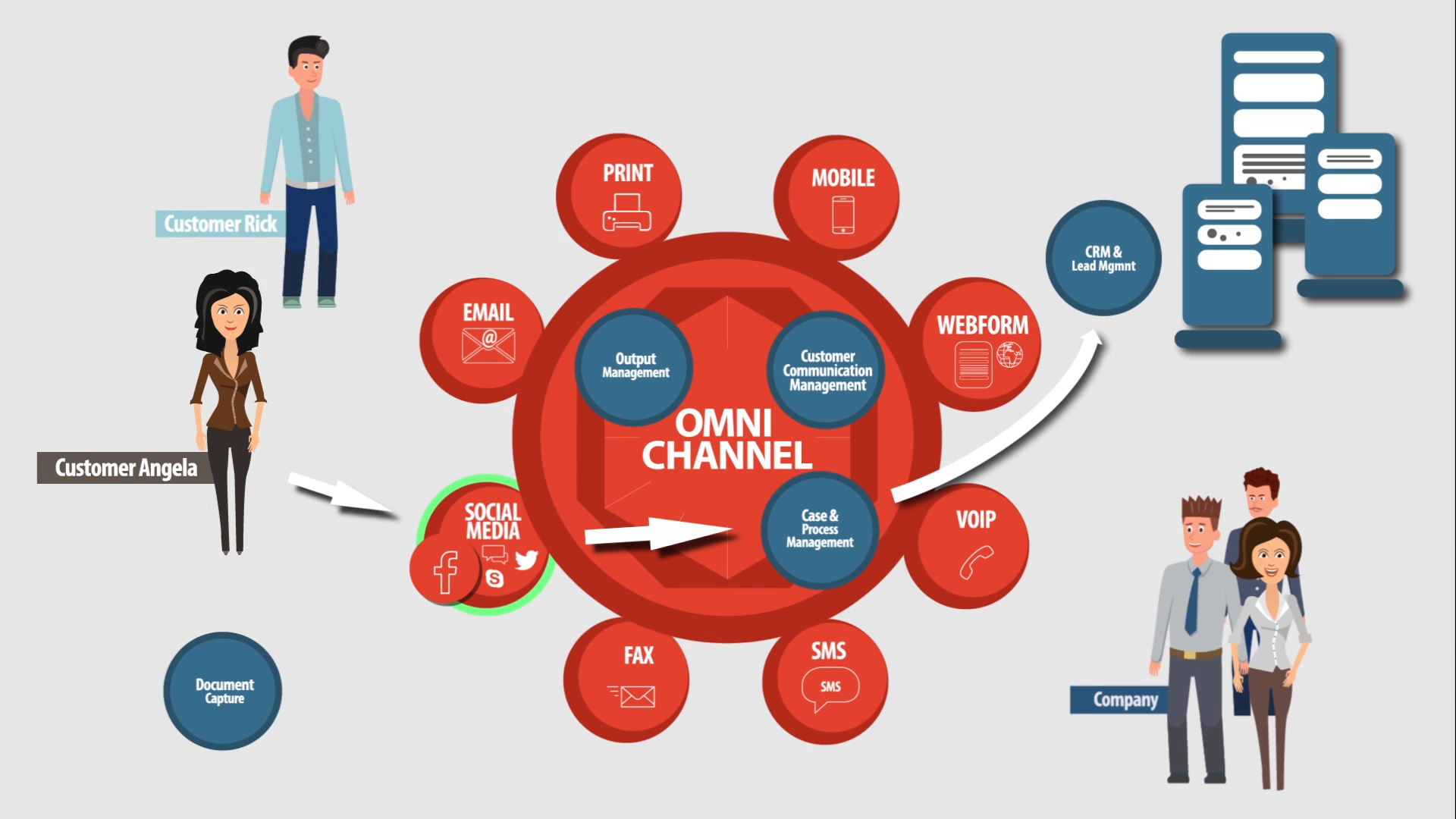
into one envelope, multi-channel delivery (print,
e-mail, Web) and postal optimization, archiving and
integrated inbound document handling enabling Case
Management and Response Management.
Value Delivered
- ROI potential within 12 months (per Forrester report)
- Improved customer communications
- Corporate identity with any channel output flexibility
- Faster implementation – lower cost of ownership
- Enterprise solution: enables high-performance consolidation
- Strong integration with Legacy, ERP, CRM, ECM, and Web-distributed solutions
- Integrated end-to-end solution – straight through processing
- Reduce costs - productivity, postal, eliminate preprinted forms
- Empowering business users - increased productivity
- Shortest time to market
- Assistance with meeting regulatory requirements
- Integrated security and authorization
-
Increased customer satisfaction
- Platform and output channel independence
- Version and variant control of multi-language elements with Spellcheck – 17 languages
Product
Configuration |
Services Estimated
|
Product
Configuration |
Services Estimated
|
Optional: |
|
The Papyrus Correspondence Framework enables business users to maintain text, images and document templates to be used across Online/Batch, Interactive/Ad-hoc and Web communications.
Papyrus System Blueprint
A full range of document formatting features are part of Papyrus functionality:
Text styles * variable inserting * prompting * radio buttons * checkboxes * images * color * lines * dynamic page break handling * widow and orphan control * columns and tables * multi-language text blocks * OMR and barcodes * hyperlinks * stickers * text orientation * dynamic white space management * automatic resizing of images * TOC generation * page re-sorting * header and footers * wizard * template and text compare … and more.
The benefits of having the same document definitions and one proven formatting engine (Papyrus DocEXEC) for high-volume and high-speed production of a single document or interactive single document editing - desktop, browser, WebPortal - are enormous. There are no dependencies on hardware, operating system, programming languages, transformation languages, data input formats, printers or other electronic output channels - allowing you to view and complete the same work on the same documents via batch, on-demand or online generation as your organizational needs demand.
Interactivity is built into the Papyrus Document Architecture - there is no need for additional programming to enable interactive document editing in the browser. With Papyrus, the user gets full word processing capabilities, including spell check and local printing and PDF generation, based on administrative settings and authorizations.
Papyrus offers control to the level of which paragraph or variable can be edited, as well as what font, color, style, etc., can be used. The workflow and process for both document generating requirements, including but not limited to sign-off processes and change management processes, are fulfilled with the Papyrus WebRepository.
Daily Operations
In daily operation, developer teams and business users collaborate using Papyrus Designer (in IT) and Papyrus Desktop (in the business) to create data interfaces, building blocks with complex logic and content with business rules in their private projects.
Optimally, templates consist of re-usable elements such as logos, fonts, headers, footers, etc. Templates and objects move through the development states to test before being made available to the customer in production. Every template can access the correct version of each object it requires because Papyrus WebRepository automatically manages the distribution of objects and resources to ensure they are immediately available wherever required.
The business administrative user can make changes to the document content and template, uploading images and manage standard text paragraphs, depending on his role and policy (LDAP).
Managing the content (text paragraphs) (click image to zoom) |
Managing the content (text editing) (click image to zoom) |
The business administrative user can also control each and every aspect of the document template - for example, which attachments and inserts are available to the business user, whether the business user can edit a text paragraph, which variables can be used in the document, and the like.
Managing dynamic attachments (click image to zoom) |
Managing document templates (click image to zoom) |
Papyrus Client allows document formatting locally at the user’s desktop to format the document. This can be a dark process or the user can interact with the document and enter data and text in a very controlled way, i.e., allowing only certain paragraphs to be edited.
The claims user would access a custom-built, Web-based application, integrated into the portal, to select from a list of possible letters templates and building blocks for the letter or other document they want to create.
Data for each letter could be populated by the business application or the clerk could be allowed to enter in as much or as little data as needed. Papyrus Client offers layout and text formatting functions familiar to anyone who has used common Windows-based office applications.
The clerk can be given complete control over selecting the available editing resources (such as fonts and styles) that are centrally managed in the Repository resource collection. The letter the clerk would view is the electronic original and therefore identical to the letter printed and sent for archiving.
Text editing in Papyrus Client (browser) (click image to zoom) |
Paragraph selection (click image to zoom) |
Clerk - building block selection (click image to zoom) |
Clerk - letter writing (click image to zoom) |
Document Compare and Approval
Document compare and approval (click image to zoom) |
Document compare and approval (process) (click image to zoom) |
Corporate Standards
All Papyrus document applications are using the central resource collection in the Repository. CD and CI can be fully guaranteed as users cannot select any other resources than those approved in the Repository.
Business Correspondence seamlessly integrated into the CASE (click image to zoom) |
The GUI integration can also be done via the iFrame in the browser (click image to zoom) |
Data Input: SOA-based Integration
XML Adapter and File Adapter
Papyrus interfaces use standard software for loosely coupling business application data with the document application using the XML Adapter. Papyrus Adapters and Typemanagers are platform- and compiler-independent, allowing integration and changes at the business application without requiring changes to the Papyrus document interface, and vice-versa:
- Archive (FileNet, etc. – CMIS standard)
- E-mail/messaging (POP3, SMTP, SMS)
- Fax
- Data (MQ, FileNet)
- Databases (DB2, Oracle, MS-SQL)
- Mainframe (JES 2/3, CICS)
- Portals & Collaboration (HTTPs, SOAP, Sharepoint)
- Authorization (LDAP for Active Directory, RACF)
- Output management (SAP)
Papyrus Adapters help minimize the cost and risk of interfacing with outside systems by foregoing the limitations of commonly used APIs.
Investment Portfolio, Retirement Plan Review, Credit Risk Analysis, Sales Reports ...
Client Challenge
Keeping clients, shareholders and management informed with understandable and highly personalized reports is good business – for the recipients, such reports build confidence and strengthen relationships. Charts, tables, text and images in these reports are not only important to demonstrate the performance of the business but are also often a required component of regulatory and policy compliance. User-interactive customization makes the information relevant for each individual in your audience - adding knowledge, context and insight relative to their direct interests.
Complexity comes with making such reports "interactive", if business users can provide input and manipulate output as part of their analysis and report creation: Selecting and editing paragraphs, inserting images, changing chart type, selecting data range for chart and tables. The perfect personalized report is generated in real-time WYSIWYG mode for multichannel delivery.
However, complicated and code-heavy programming in word processing, spreadsheet and presentation software is typically needed for dynamic report generation. Extra coding leads to increased effort, high maintenance costs, missed deadlines and inconsistency in style and appearance.
Offer Description
Papyrus Client on the desktop and in the browser provides extensive, powerful Interactive Reporting functionality with dynamic charts, tables and word processing capabilities.
- Creative developer teams use Papyrus Designer to create report templates with reusable elements (logos, fonts, headers, footers tables, charts, text, data, address, rules, etc.), live data and all related objects.
- Power users work with a Papyrus EYE Web or thick client-based application to assemble report templates using the pre-defined building blocks and to specify authorized delivery channels, inserts and attachments and taxonomy classification for Records Management.
- Templates move through development stages to test before being made available to the business user (i.e., customer relationship manager) in production.
- Using a single approved template, the business user can request:
- Report generation for a specific customer to customize interactively
- Batch production of reports to be manually enhanced and completed
- Batch production of reports and automatically deliver without user interactivity
- On-demand report generation
Role-based access (RBAC) determines which users can view or edit paragraphs or charts and other elements can be dynamically controlled and conditional on data values or user role, for example.
Papyrus digital asset management with WebRepository automatically manages the distribution of all objects and resources and ensures that the right images, scanned signatures, logos, fonts and text blocks, like legal disclaimers, company profile or marketing messages, are immediately available wherever required.
The report generated by the Papyrus Client is the electronic original and archive copy, 100% identical to the report viewed in PDF in the browser, printed and sent to the end customer. Indexed for searching, reports are generated in AFP and PDF for high-quality print, e-mail and Web to support branding and formatting consistency across platforms and output channels.
Interactive Document Development
![]() |
||
Papyrus Designer - Developer (click image to zoom) |
||
Template manager - business (click image to zoom) |
|
Interactive Document Creation (Clerk)
Traditional Papyrus Client plug-in (click image to zoom) |
|
New Papyrus Client plug-in - Canvas (click image to zoom) |
|
Value Delivered
Key Benefits/Value
- Single definition of GUIs for web and desktop simplifies development and user training
- Real-time, highly personalized report generation
- Customizable sophisticated chart presentation of business data
- Report templates defined once for multiple report generation options
- Flexible data interfacing, no hard coded APIs
- Unprecedented flexibility for scaling to cope with peaks in demand
- Increased searchable report content for current files or archives
- Branding and formatting consistency across platforms and output channels
Key Features
- Identical GUI through desktop client or via Papyrus Web portal nodes
- Business rules and logic to drive workflow
- Same templates used for user-interactive and batch reporting
- Editorial control of elements such as headers, footers, text blocks, graphics, chats
- Version control for every element and template
- Role-based access (RBAC) for editing and data entry
- Dynamic control and conditional action on data values or user role
- Data population using combination of user entry and other data interfaces
- Electronic stickers for notes during routing, review and approval
- Real-time report previews in multiple languages
- Options for direct report delivery or forwarding to post-processing center for bundling
- Customer Care online search and view of reports for reprint
- Flexible and secure access to work through portal, desktop or offline
Real-World Scenario |
Sales Representative / Customer Relationship Manager:
Professionals highly skilled in stock portfolios, pension laws and plans or investment vehicles and strategies need tools that make it simpler to customize and deliver expert information and advice to clients who trust them with building wealth for their future.
As part of their full-service advice to customers, these financial professionals work with applications running in Papyrus Client and EYE Desktop as a plug-in the Browser or as a fat client to customize the report to the specific situation and needs of each customer. Working offline or through the integrated portal, the advisor selects from a list of possible reports they are authorized to create according to the role and policy (LDAP) information accessed by the system from their secure login.
Each authorized user has complete control over available resources (such as fonts and styles) while editing, as they are typically centrally managed in the resource collection as digital assets that may be used in any appropriate report.
Depending on the pre-determined workflow, certain report tasks are sent to a supervisor for review and/or comments before approval for print and mail or being returned to the report generator for further work. During this process, the supervisor may also add an electronic sticker to the document, optionally color-coded by role and are role, date and time-stamped.
Once approved for customer delivery, the report can be either locally printed (PCL/PDF) and mailed/e-mailed or sent to a central output management process for further post-processing tasks, such as bundling of reports with other business documents for the same addressee to take advantage of maximizing economies of printing or mailing.
After the report is delivered, customer care personnel may have the ability to search the archive for report viewing, re-printing and re-sending to the end customer, as needed, with re-prints optionally watermarked to indicate the document is not the original.
|
Product
Configuration |
|
Optional Components |
|
Papyrus Output Management
The Papyrus Automated Document Factory (ADF) provides the customer with intelligent, end-to-end automation of print and e-delivery. The Papyrus ADF includes unique features for complete centralized lifecycle management - across platforms - of all document resources from data, formatting, printing and post-processing to multichannel delivery and archiving. Documents can be tracked seamlessly from creation through centralized or decentralized printing to final enveloping and finishing. Document templates and resources are versioned and include a full audit trail with detailed document access and change information.
Preview of letters in real time
Web-based applications for ad-hoc document generation can be defined to enable authorized staff to create and preview their correspondence in real time.
Local and central print of all letters
When the business user has completed the letter task, it may be formatted by Papyrus Client and locally printed, e-mailed, faxed or queued in the central Papyrus PrintPool for any further post-processing - such as the addition or barcodes and/or OMR codes, batching of letters to the same end customer.
Optionally, workflow could send certain letter tasks, configurable by the administrator, to a supervisor for review and/or comment. Such tasks could be approved and forwarded for printing as usual, or rejected by the supervisor and returned to the business user for further work.
Before returning a letter, supervisors can add an electronic Sticker - similar to a sticky note - to the document which can be color-coded by role and role-, date- and time-stamped. While Stickers are stored with the document, they are not printed with the document unless required. Stickers may also be used as training aids.
Finishing - Bundling and Postal optimisation
All business documents generated in batch, online and user-interactive forms can be stored in the central Papyrus PrintPool for bundling, sorting, optimization for mailing, and OMR and Barcodes can be added and before the output is managed to different channels.
Documents placed in the print queue can also be sorted along with all other documents to take advantage of maximum postal discounts before being sent for printing and finishing. Because Papyrus has control and visibility of all resources in the system, postal sorting can be applied on the formatted letter, not only on addresses, enabling better postal rate to weight matching, especially with letters of unpredictable lengths.
At the same time, documents output through Papyrus are archived for short-term and long-term access and security.
PrintPool
capabilities: Integrated
Output Management with bundling of different letters
into one envelope, multi-channel delivery (print,
e-mail, Web) and postal optimization, archiving and
integrated inbound document handling enabling Case
Management and Response Management.
Letter delivery options
Business users can be granted the ability to search the archive of previously sent documents for viewing, re-printing and re-sending to the end customer. Re-prints could even include a watermark to indicate the document is not the original.
Letter attachment selection (click image to zoom) |
Letter delivery options (click image to zoom) |
One time formatting, multichannel delivery (click image to zoom) |

Papyrus Business Correspondence Solution
Insurance
Correspondence
Automated Correspondence
Correspondence
Inside
Papyrus WebRepository
SecurityNow!
Customer
Response Management